Inbound Screen Pops
When a customer calls, their CRM record is already on screen. You know who is calling and have what you need before you answer.

Make your CRM work with your Snapcom phone system, automatically. Know who's calling, click to call, and log every call to your CRM.
Connect once and CallIQ matches every caller to the right record. An admin can connect for the whole team, or each rep can connect their own account. Clio is built for law firms, Wealthbox for advisory firms, and Zoho Desk for help desk teams.
 Salesforce
 HubSpot
 Zoho CRM
 Pipedrive
 Close
Close Clio
Clio WealthboxZoho Desk
Don't see your CRM? Ask us. We're continually adding new integrations.
When a customer calls, their CRM record is already on screen. You know who is calling and have what you need before you answer.
Click any phone number in your CRM, or on virtually any web page, to place the call through Snapcom.
Log every Snapcom call to the right CRM record automatically. Keep it simple, or include recordings, transcriptions, AI summaries, and more.
CallIQ works through a lightweight browser extension, with no software to install. Connect it once and it runs alongside your Snapcom phone system and CRM without anyone having to think about it.
Switch on AI analysis and every call is transcribed, summarized, and scored automatically. It is what fills the CRM note and the caller card.
Every integration starts the same way. CallIQ matches the caller's phone number to the right record in your CRM, then writes the call there with its direction, duration, AI summary, key details, and a link back to the full call. What varies is how each CRM stores a call, so here is what to expect in yours.
An admin can connect once for the whole team, or each rep can connect their own account, and each team member chooses whether their calls sync. The Snapcom Chrome extension adds click-to-call, a repeat-caller context card on incoming calls, CRM contact matching, and, when your admin turns it on, CRM deal and note context, right in the browser.
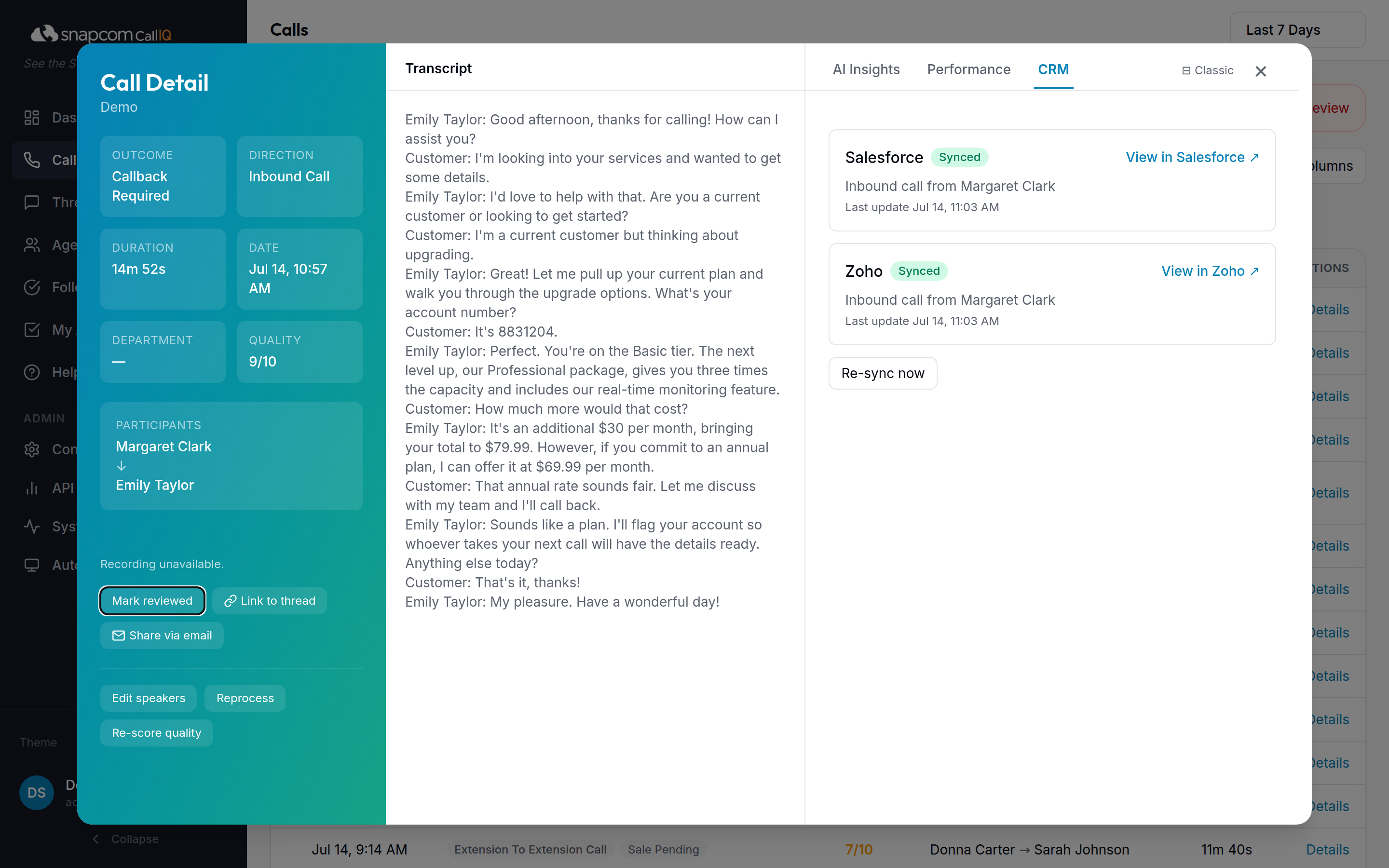 Salesforce
Connects with your Salesforce login. Each call is logged as a completed Task on the matched contact, so calls appear in the standard activity timeline and in reports.
When AI analysis finishes, the Task is updated with the call summary and quality score. Sandbox orgs are supported for testing before go-live.
Zoho CRMConnects with your Zoho login. Calls land in Zoho's native Calls module with start time and duration, linked to the matched contact, and are checked against Zoho's telephony records so the same call is never logged twice.
The AI summary is added to the call record once analysis completes.
HubSpotConnects with your HubSpot login. Each call is logged as a HubSpot call engagement associated with the matched contact, with direction, duration, and timestamp, so it shows on the contact timeline and in HubSpot reporting.
PipedriveConnects with your Pipedrive login. Calls are logged as completed call activities on the matched person, so they appear in the activity timeline and alongside the deals that person is on.
CloseConnects with a Close API key from your settings, with no sign-in redirect. CallIQ finds the matching lead by phone number and logs the call on that lead, where it appears in Close's native call history.
Clio For law firmsBuilt for firms on Clio Manage. Connects with your Clio login. Calls are logged as phone communications on the matched contact, kept separate from billable time entries so nothing gets billed by accident.
The AI summary is appended to the communication after analysis.
Wealthbox For advisory firmsBuilt for advisory firms on Wealthbox. Connects with a Wealthbox API token from your settings. Calls are logged on the matched contact as a calendar event showing when the call happened, or as a note if your firm prefers, with the AI summary added once analysis completes.
Zoho Desk For help desksBuilt for support teams on Zoho Desk. Connects with your Zoho login. Calls are logged against the matched contact's ticket, so the phone conversation sits alongside the email and chat history the agent already works from.
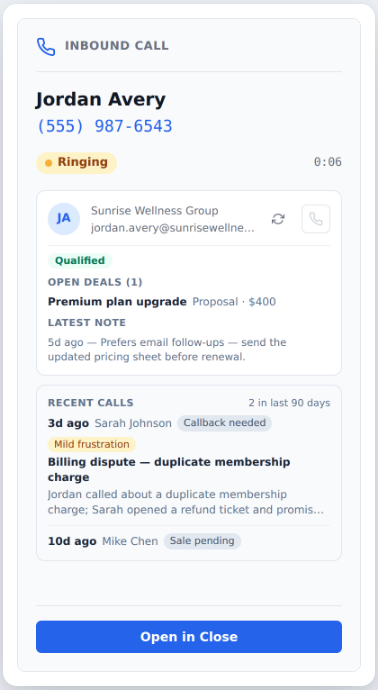
The connection works both ways. When the phone rings, the extension's incoming-call window pulls context from your CRM alongside the call history: open deals and their stage, the latest note, and lifecycle status, so whoever answers has the full picture from both systems. Close and HubSpot to start.
Admin-controlled per domain and off by default, with the same privacy-first approach as call sharing.
The integration engine is built to add providers quickly. Tell us what you use and we'll let you know what's possible.
The Snapcom Chrome extension brings CallIQ to the moment the phone rings. Click any number on any page to dial it, and see who's calling, with their history and CRM context, before you pick up.
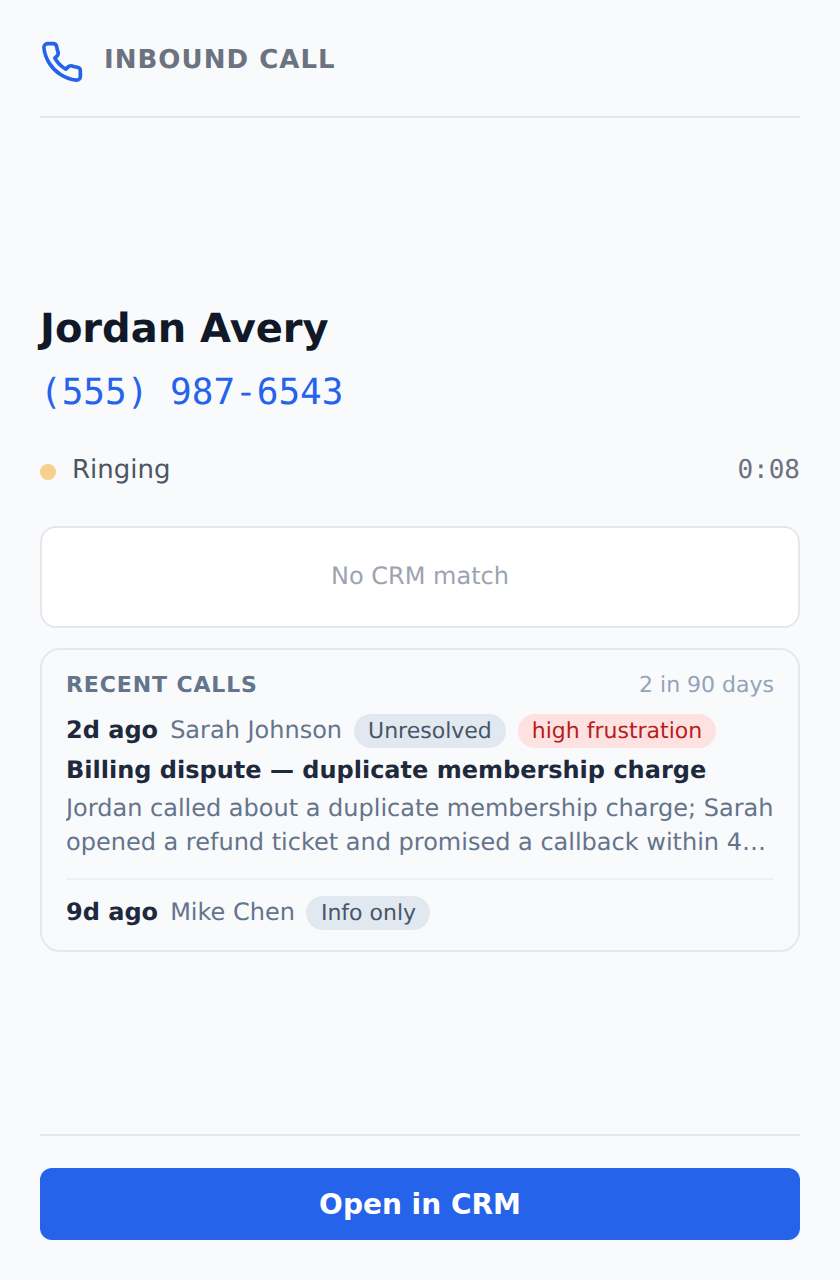
When a customer calls back, whoever answers sees the story before they pick up. The active-call window shows the caller's recent calls: when they called, who helped them, the outcome, and their sentiment, so an upset customer is never a surprise. Related calls are linked into threads automatically: after each call, CallIQ compares it with the customer's recent history and suggests the connection with one click to confirm, and the call detail's Thread tab shows the whole journey end to end.
Turn on the analysis that matters for each team. CallIQ adapts what it looks for and how it scores. One platform, tuned per department, with industry-specific analysis from automotive to healthcare to legal.
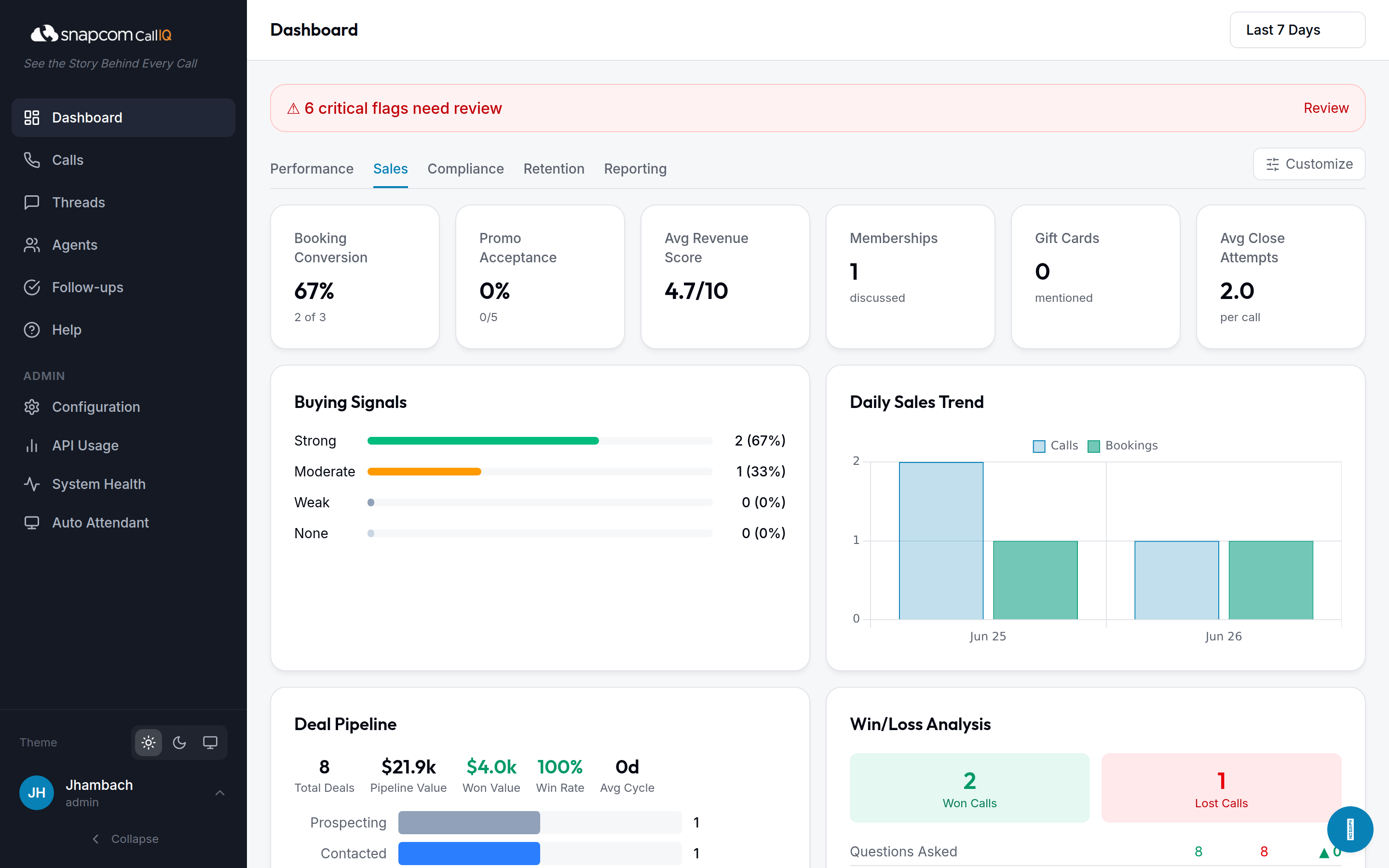
Booking conversion, promo & upsell uptake, revenue opportunity scoring, a live deal pipeline, and every missed opportunity logged with its revenue impact.
Required-mention checks, payment-collection and follow-up adherence, and procedure gaps.
Cancel & freeze intent, churn-risk scoring, save-attempt quality, and frustrated-caller alerts.
CallIQ scores the revenue opportunity in every sales call and writes down what was left on the table — an appointment not booked, an upsell not offered, a referral never asked for — each rated low, medium, or high impact. When a high-value call ends without a booking, your team gets an email as soon as the call is analyzed, with the blockers the caller raised. You choose the score that triggers an alert, and every missed opportunity rolls up into the Sales dashboard and each agent's scorecard.
Because CallIQ is built into the Snapcom phone system, it reports on more than the conversation: how every call moved through your business, and which calls never became conversations at all.
See exactly which menu options callers press, by site and by menu, and how many hang up without choosing. A weekly report lands in your inbox and the full breakdown lives in the app, so you can fix menus that lose callers.
Every missed caller in one worklist, de-duplicated to their latest attempt. Your team checks each one off as they call back, so no lead or customer slips through the cracks.
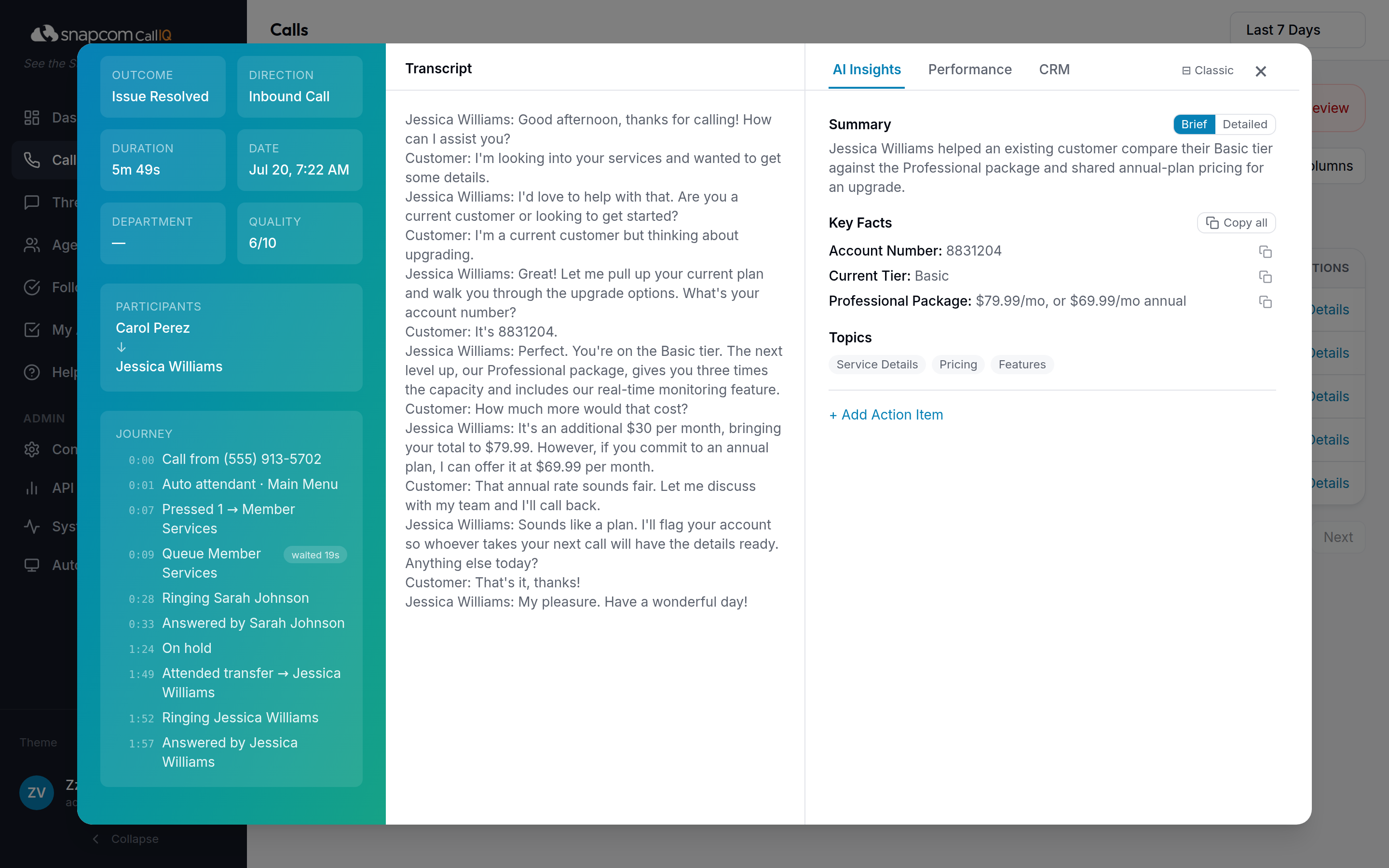
Follow each call through your phone system: auto attendant, queues, holds, parks, and transfers, ending with who answered. The full timeline sits right inside the call, so "what happened to that call?" takes seconds to answer.
Sign in once with your CRM account. Admins connect for the team, or reps connect their own.
Two minutes in Chrome. Screen pops and click-to-call work on the very next call.
Your team works exactly as they do today on Snapcom. Recordings flow in automatically.
Each call is written to the right contact, with the AI summary attached if you have it switched on.
Let us show you how Snapcom can connect your phone system with the CRM your team already uses. Already a customer? Log in to your dashboard.